
Search Knowledge Base by Keyword
Review Audit Trail
Background
Each Loan File in Point Central contains a history of everything that has occurred in the file. This is call the Audi Trail.
Please Note: Auditing does not take effect until the Point Central File has been saved for the first time. Therefore, if you wish to included most all information in the Audit Trail it is a good practice to Save the file as soon as soon as it has been created.
Steps to Access the Audit Trail
- Open a Loan File
- Click Utilities–> Audit Trail
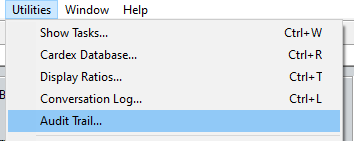
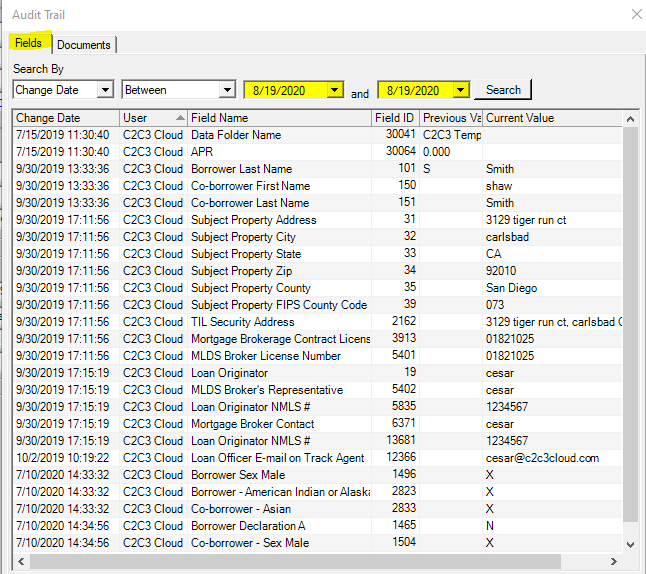
- Select the Time Frame – Default is the past 365 Days
- Review the past history of the file
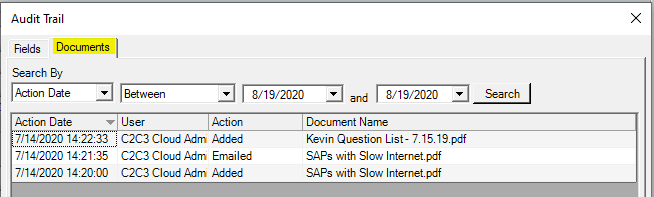
- Switch to the Documents Tab to view Document History
Additional information on the Audit Trail is available in Chapter 13 of the Calyx Point 10.3 User Guide.
Was this post helpful?
Let us know if you liked the post. That’s the only way we can improve.