
Search Knowledge Base by Keyword
Point will not open Error Code -17 / Please check the installation on the affected computer
Background
When opening Point an Error Code -17 is presented

Other Error Codes include
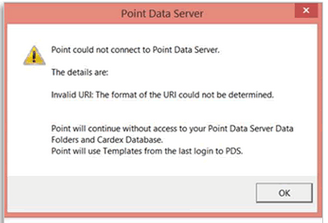
Point could not connect to Point Data Server / Invalid URL: The format of the URL could not be determined.
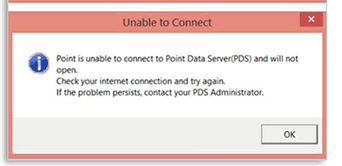
Point is unable to connect to Point Data Server and will not open
Resolution
- Confirm the Time on the effected PC is within 30 seconds of: https://www.time.gov/
- Review the last time Windows Updates were applied. Steps to do so are available here.
- If updates have been applied since you last successfully opened Point, please review this KB or this VIDEO from the Point Website.
- Some Users do find it simplest to reinstall Point which is a second option.
Was this post helpful?
Let us know if you liked the post. That’s the only way we can improve.