Search Knowledge Base by Keyword
Loan Product Advisor Troubleshooting
Please Note: This is a FastPublish article that was written to quickly resolve an issue. It will be revised in the near future.
In some situations Point may return the following error message when contacting Freddie Mac’s Loan Product Advisors System-to-System.
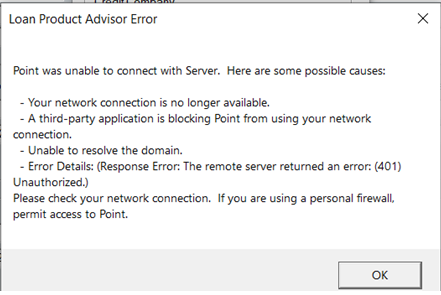
To troubleshoot, first ensure you have an active internet connection from the device in which you are running Point from. You may test by visiting a website or confirming your connection to the Point Central Server.
As a next step it will be important to test the credentials for Freddie Mac LPA by visiting the LPA website.
- Open a web browser
- Visit: https://sf.freddiemac.com/tools-learning/loan-advisor/content/third-party-originator-sponsored-access
- Locate the Log In Button
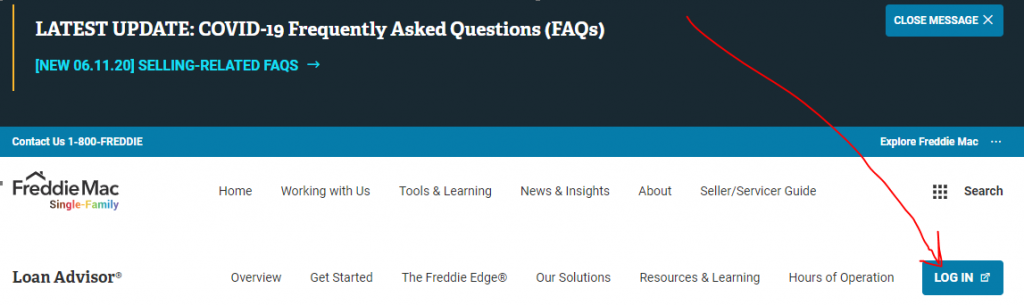
- Enter the C2 Credentials to logon to LPA. These will consist of the User ID & LP Password
- Validate Access
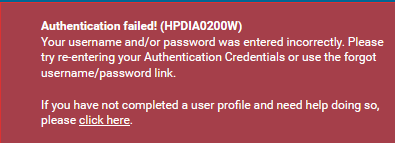
If the Site returns an Authentication failure then the issue is not with Point but the credentials. Please email the C2C3 Help Desk with your findings and will determine next steps.