
Search Knowledge Base by Keyword
Import Fannie Mae 3.2 File to New Loan Application (1003)
Overview
The Fannie Mae 3.2 file captures data component from the Classic Loan Application (1003). The New Loan Application mandated for March 1, 2021 introduces new fields and methods that do not exist in Fannie Mae 3.2 files.
Importing a Fannie Mae 3.2 file into the New Loan Application is possible, however some data components like Employment will not import into the New Loan Application due to the introduction of new fields and methods for capturing the information on the 1003.
Direct Link to Calyx New URLA
Point and PointCentral 10.5 Overview | Calyx Customer Portal | Calyx Software
27:16 – Convert from Classic to New URLA
29:00 – Point Version and iUpdate
New Loan Application
- Select the New radio button for the Loan Application (1003)
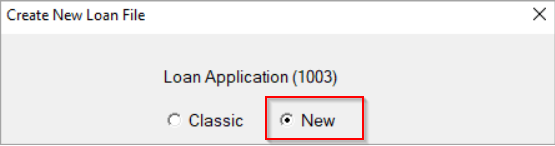
2. Select Import From on the File menu
3. Select Fannie Mae DO/DU
4. Browser to the Fannie Mae 3.2 file
5. Complete the import
The following screens are required to be re-entered into the new Loan Application after completing the Fannie Mae 3.2 file import.
Borrow Information Screen
Monthly Housing Expenses
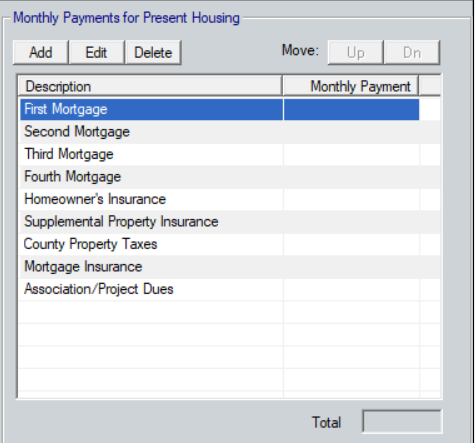
Loan Application Section 1
Citizenship, Employment, and Income
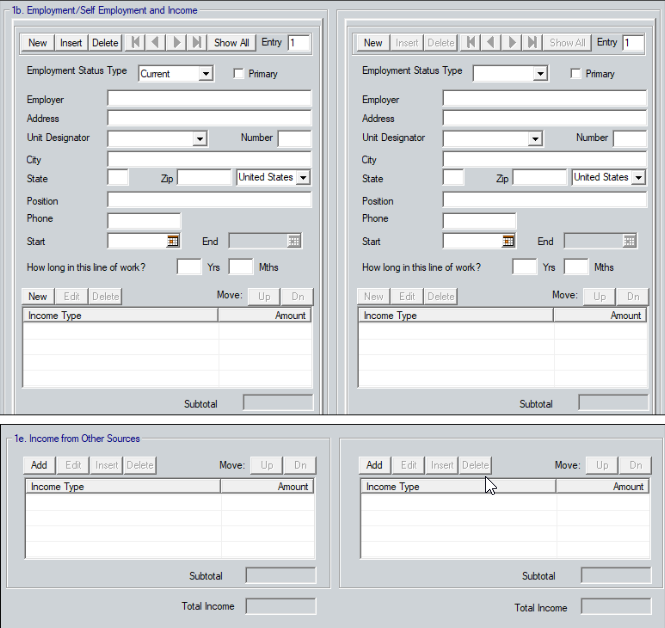
Loan Application Section 2 -3
Asset, Liabilities, and Owned Properties

Lender Loan Information Pg. 2
Closing Costs and credits, such as Cash Deposit on Sales Contract
