
Search Knowledge Base by Keyword
Save a Point File to a PCF (Encrypted) File
These steps may be followed to save a Point file to a PCF file that can be sent to another copy of Point using email or Dropbox.
- Open the Point File
- Click File — >Email Point Data File

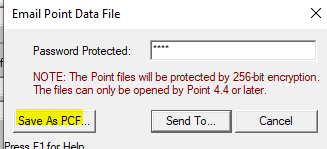
- Add a password and select SAVE AS PCF
- Select a directory path, name the file and click Save
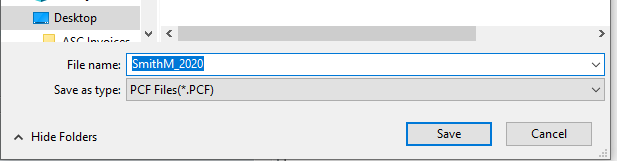
- Navigate to the directory path and send the file
- Provide the recipient the password for the file
Was this post helpful?
Let us know if you liked the post. That’s the only way we can improve.